


The threat of ransomware looms large for many businesses and individuals in South Africa, making it essential to adopt robust security measures. Nextcloud, a leading open-source file sync and share solution, employs several strategies to monitor your file system for significant changes and detect potential ransomware activity. Here’s a closer look at how Nextcloud keeps your data safe.
1. File Integrity Monitoring
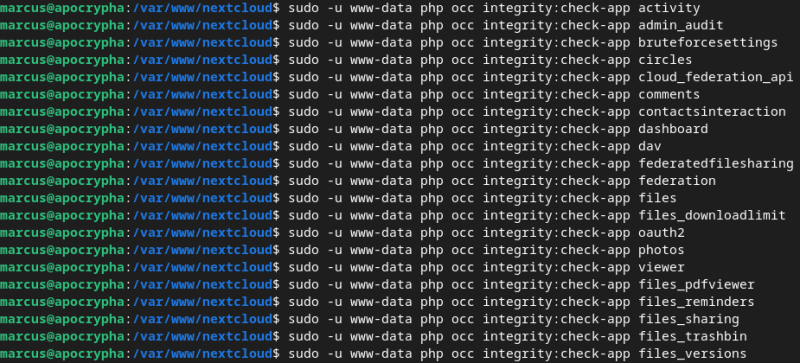
One of the cornerstones of Nextcloud’s security framework is its file integrity monitoring system. This feature continuously tracks changes made to your files, regularly checking for modifications, deletions, or the addition of new files. If Nextcloud detects a sudden surge in file changes—such as numerous files being encrypted or deleted in a short timeframe—it can trigger alerts, allowing you to respond swiftly to potential threats.
2. Version Control
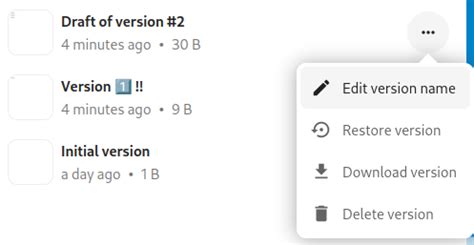
Nextcloud’s built-in version control feature is a game-changer when it comes to data recovery. It automatically saves previous versions of your files, enabling you to revert to an earlier version if ransomware strikes. This not only aids in recovery but also serves as a valuable tool for identifying unusual changes in your file system, giving you peace of mind that your data is protected.
3. Server Roll-Back Capability
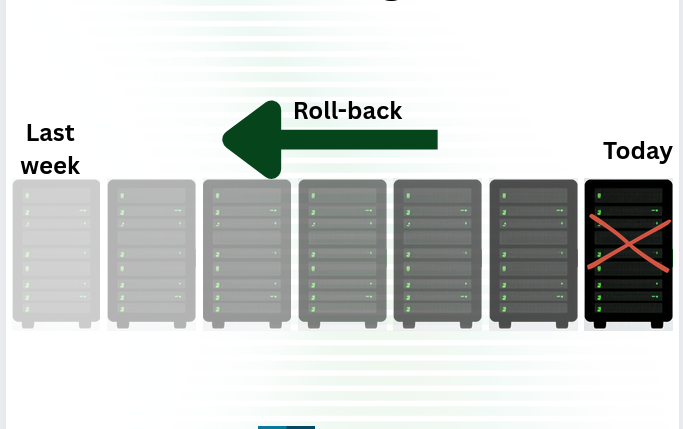
A standout feature of PrivateHub Online is its server roll-back capability. This innovative function allows you to revert your entire server back to a state from up to 7 days prior. In the event of a ransomware attack or any malicious changes, you can easily discard those harmful alterations and restore your system to a known good state. By implementing PrivateHub Online, you enhance your data security and gain peace of mind knowing that you have a reliable way to recover from potential threats.
4. User Activity Logs
Detailed user activity logs are another critical component of Nextcloud’s security measures. By keeping track of file access and modifications, Nextcloud can analyze these logs to identify suspicious behavior. For instance, if a user account makes numerous changes in a short period, it may indicate ransomware activity. This proactive monitoring helps to catch potential threats before they escalate.
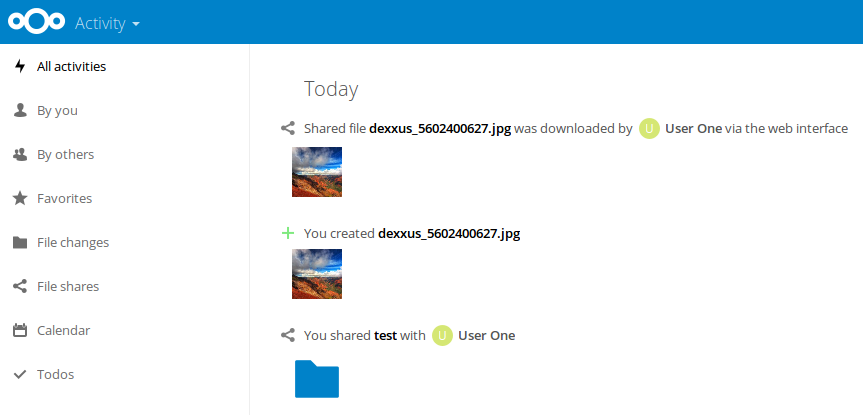
5. Real-Time Notifications
Nextcloud takes security a step further with its real-time notification system. If the platform detects unusual activity—such as a large number of files being modified or deleted—it can send immediate alerts to the user or administrator. This feature allows for quick action, such as disconnecting the affected account or restoring files from backup, minimizing the impact of a potential ransomware attack.
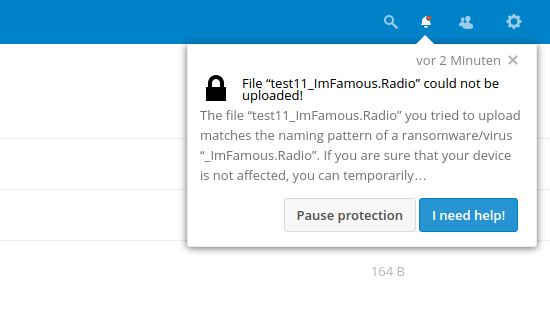
6. Integration with Security Tools
To bolster its defenses, Nextcloud can integrate with various security tools and services that specialize in detecting malware and ransomware. These integrations provide additional layers of protection by scanning files for known ransomware signatures and behaviors, ensuring that your data remains secure against evolving threats.
Conclusion
Nextcloud’s comprehensive approach to monitoring your file system combines file integrity monitoring, version control, server roll-back capability, user activity logs, real-time notifications, and integration with security tools. This proactive strategy not only helps detect potential ransomware threats but also ensures that your data remains secure and recoverable in the event of an attack. By choosing Nextcloud, you are taking a significant step towards safeguarding your valuable information in an increasingly perilous digital world.
For more information on how Nextcloud helps protect against ransomware, read more here.